You have SharePoint managed metadata terms used in document libraries and you decide to update the label of a term. You can easily do so in the term store and wait for the change to take effect. All documents will display the new term label after the label change is propagated from the term store to the sites.
But what if you want to update a specific term, to a different term that already exists in the store? If you only have a small number of documents and folders that need to be updated, you can simply do the update manually. But if you need to update a large number of items, unfortunately, this is a scenario that will require some automation.
The following script will do the job for you.
Trigger When a file is created or modified in SharePoint
Power Automate and Azure Logic Apps are great to use as automation tools for processes that include SharePoint data. A trigger that I often use is when a file is created or modified in SharePoint. Unfortunately, they also seem to suffer from some limitations on large lists/libraries which can be quite hard to troubleshoot.
In this blog post, I describe the issue that I have recently experienced and how it can be quickly resolved.
Send items to second-stage SharePoint recycle bin
When a document or folder is deleted in SharePoint, it goes to the first-stage (site) recycle bin. After some time, it is moved to the second-stage recycle bin. And it stays there for another period before being completely deleted.
If you need to delete a very large number of documents in SharePoint, you may consider sending the items straight to the second-level recycle bin. This will prevent “flooding” the first-stage recycle bin with items, which would make the recycle bin hard to use for manually restoring deleted items.
SharePoint folder filter SPFx extension
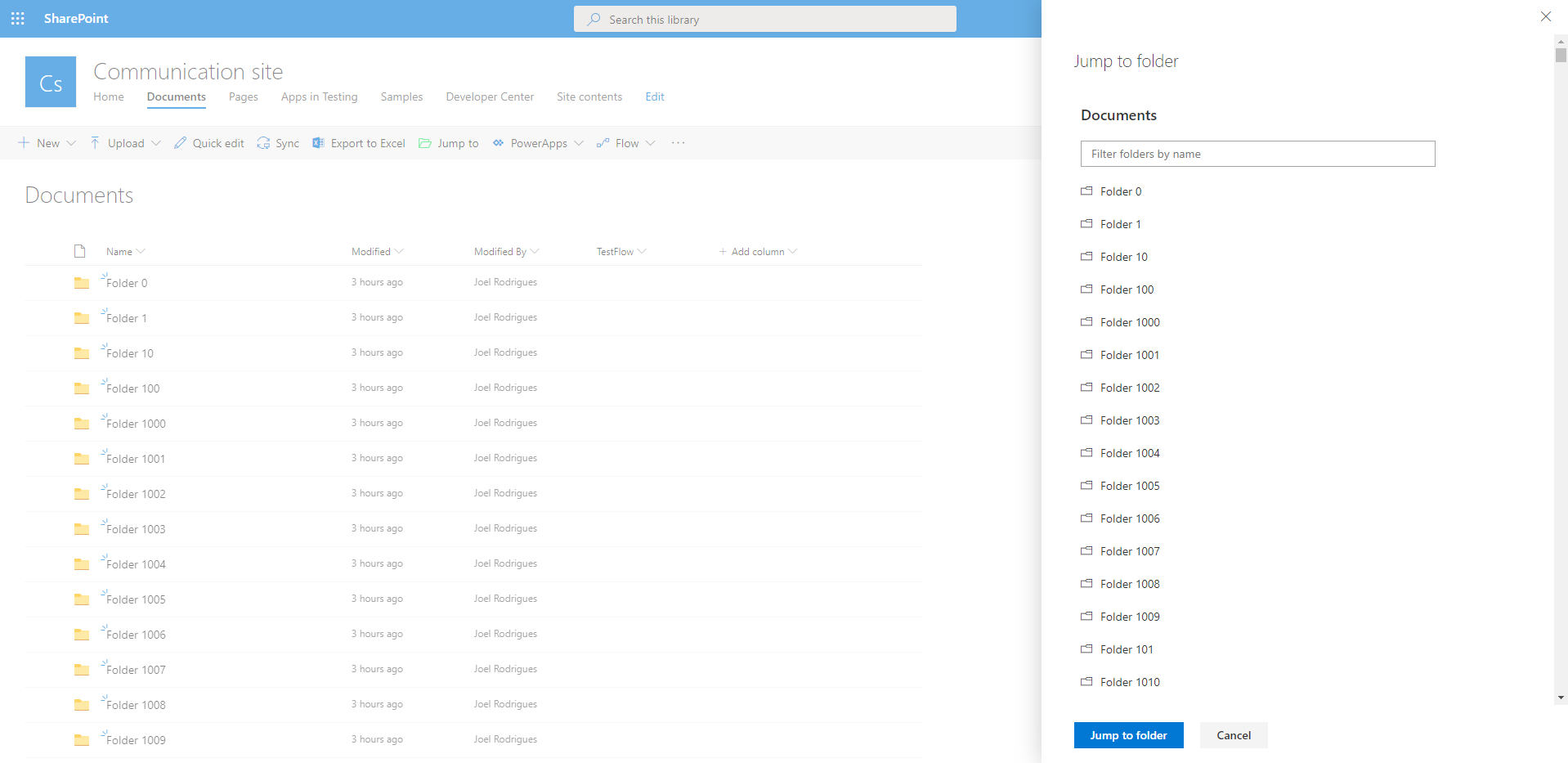
In modern SharePoint libraries containing large collections of folders, it may be difficult to navigate your way around the folder hierarchy. The library loads batches of 30 folders as you scroll down the list, making it difficult to find a specific item.
Would it not be great if you could easily filter the collection of folders?
You can try to use search to find the desired item quicker, but if you have content with similar names, the suggested results are not always relevant.
I built a super simple SharePoint Framework list extension to filter folders and address this limitation. Check the video below to see the SharePoint folder filter extension in action.
Continue reading “SharePoint folder filter SPFx extension”Reset API access in SharePoint online for SPFx solutions
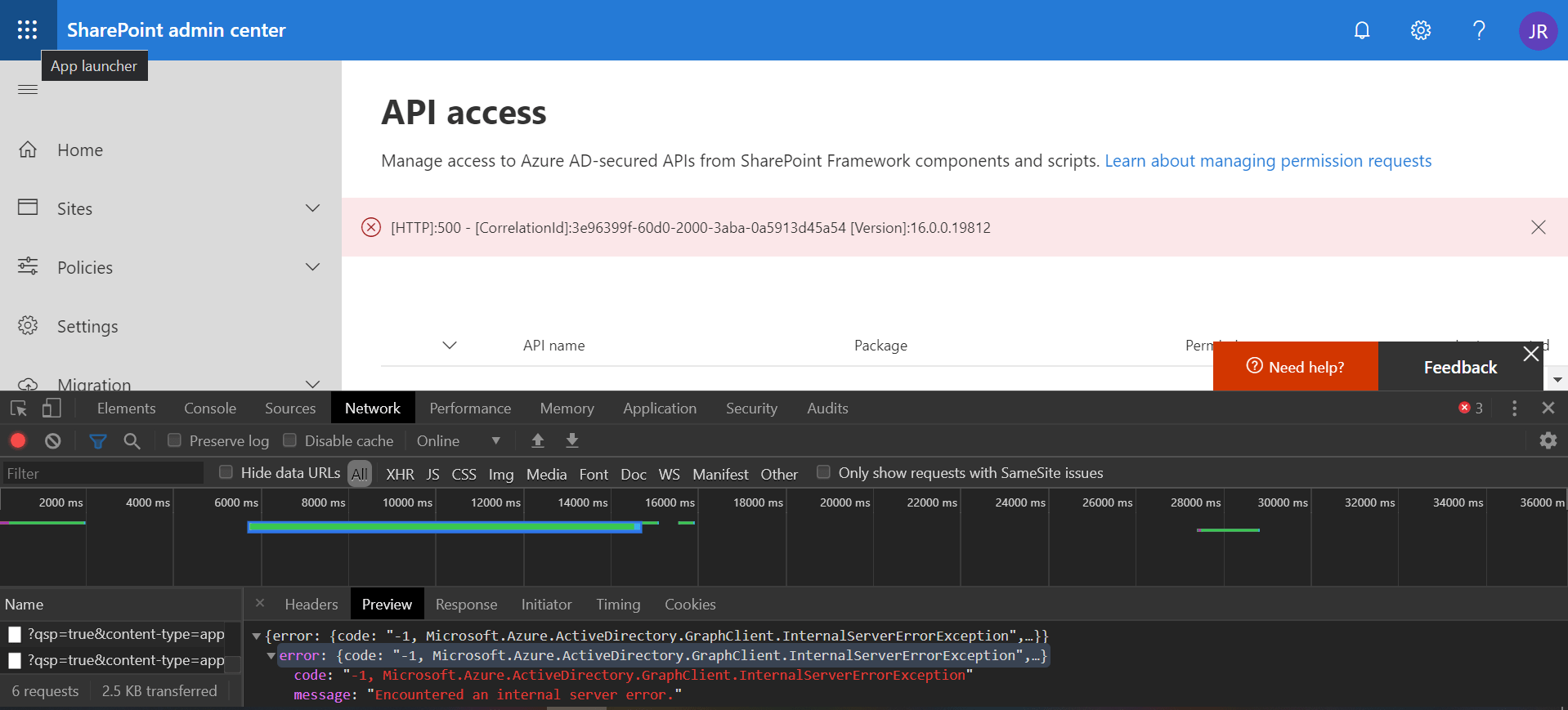
If you try to approve API access requests in SharePoint online and get a generic error like the one below, just remember the first rule of IT: “turn it off and on again”
Continue reading “Reset API access in SharePoint online for SPFx solutions”Convert PnP TaxonomyPicker selection to update value
I am a big fan of the PnP reusable controls and previously delivered some sessions about them. You can find the slides for one session on this blog post. One of my favorite controls is the TaxonomyPicker control, which I often use in custom forms to update list columns.
When using the PnP TaxonomyPicker reusable control to let the user select values for a managed metadata list field in SharePoint, you have to convert that selection into an object that you can then pass to the REST api when updating the field value.
Continue reading “Convert PnP TaxonomyPicker selection to update value”Enable modern document sets programmatically
Some time ago, modern SharePoint sites received a new feature: modern Document Sets. In order to enable and use this feature, “all” you have to do is enable the “Document Sets” feature under Site Collection Features. Then simply add the relevant content type to a library and you can start using them.
Simple right?
Well…perhaps not so simple if you try to do this programmatically.
Get list of recent documents in SharePoint
Similar to my last post Get list of frequent sites in SharePoint , this time I’m using the same approach to query a different API and get the recent documents for the current user.
SharePoint offers an OOB web part that you can use to list the recent documents for the current user. But what if you need the exact same information for a custom SharePoint Framework solution?
Continue reading “Get list of recent documents in SharePoint”Get list of frequent sites in SharePoint
SharePoint offers an OOB web part that you can use to list the frequent sites for the current user. But what if you need the exact same information for a custom SharePoint Framework solution?
I have also written a similar blog post on how to retrieve recent documents for the current user. You can read more here.
Continue reading “Get list of frequent sites in SharePoint”